Start as a creator
You make voices, music, images or video, and you want to run the models yourself. In an hour you hear a voice, compose a track, paint an image and chain all three in one workflow, on your own hardware where it is big enough and through a service where it is not.
Install, try it, make it yours
Install with the right profile 15 min
The installer picks the profile for your machine: apple on an Apple Silicon Mac with macOS 14+, which brings the local MLX engines for images and video; gpu on Linux with an NVIDIA or AMD GPU; light elsewhere, where generation goes through a service. Every profile includes local voice (Supertonic text-to-speech and Whisper speech-to-text, on the processor).
curl -LsSf https://raw.githubusercontent.com/lpalbou/AbstractFramework/main/scripts/install.sh | shLet the console choose models that fit 10 min
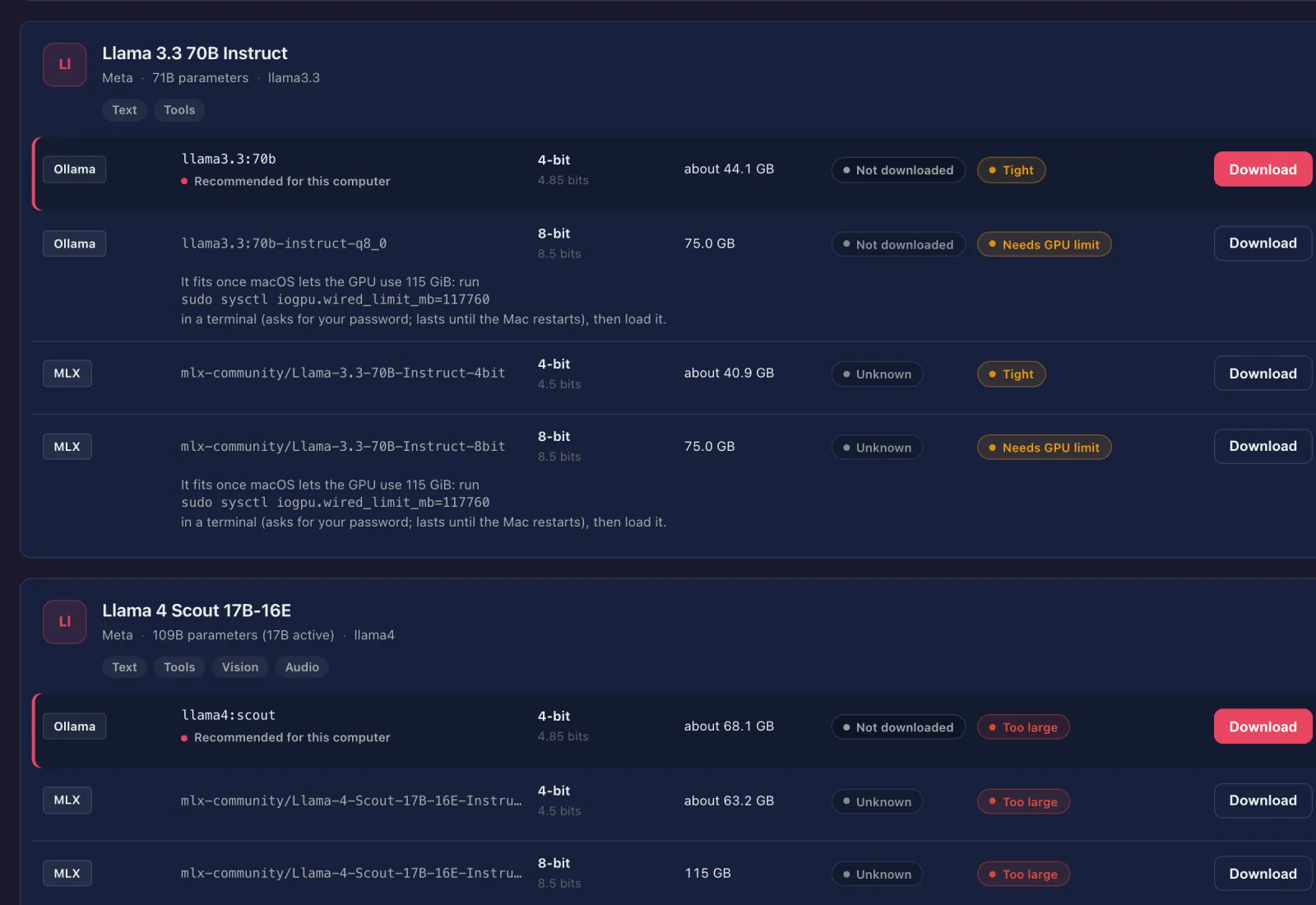
In the first-run guide’s Default model step, click Use recommended defaults: it sets text, voice, images and video wherever this computer can run them, and a route it cannot run shows the reason. The Models tab has Voice, Image and Video capability filters, the download size of each build, and a fit badge. Downloads start only when you click Download.
Hear a voice 5 min
Open the console’s Sandbox tab. It shows one output button per configured capability: choose Voice, type a line and send it; the answer comes back as audio. AbstractVoice also clones a voice from a reference recording, with OmniVoice, F5-TTS or Chroma locally or with an OpenAI-compatible service.
Compose a track 5 min
Music is not set by Use recommended defaults. In the console’s Multimodal tab, set the music route to ACE Music (a service; set ACEMUSIC_API_KEY) or to ACE-Step 1.5 XL turbo, which runs locally on an Apple Silicon Mac from 18 GB or on an NVIDIA GPU (which machine runs what). Then choose Music in the Sandbox and describe the track. AbstractMusic lists every backend and its license.
Paint an image 10 min
Choose Image in the Sandbox and describe the picture. From Python, naming the engine and model in the call, it takes one call and no configured defaults. Python code runs in an environment of your own: the one-line installer keeps AbstractCore inside the gateway’s tool environment. On an Apple Silicon Mac, install the pinned framework with its local engines:
pip install "abstractframework[apple]==0.6.2" # Python 3.12; builds compiled extras, so it needs a C/C++ compilerThe mlx and mlx-gen names below run only on Apple Silicon. On Linux with an NVIDIA GPU, install "abstractframework[gpu]" and route images to Diffusers; on a light install, use a cloud provider for the text model and the image route (AbstractVision backends).
from abstractcore import create_llm

llm = create_llm("mlx", model="mlx-community/Qwen3.5-4B-4bit")

image = llm.generate(
    "A watercolor illustration of a lighthouse on a rocky coast at dawn, soft light, calm sea",
    output={"modality": "image", "provider": "mlx-gen",
            "model": "AbstractFramework/flux.2-klein-4b-8bit", "width": 1024, "height": 1024},
)
open("lighthouse.png", "wb").write(image.outputs["image"][0].data)
Edits take a source image (and optional style references) with the same output="image", and video routes take a prompt or a still. See AbstractVision.
Chain them in a workflow 15 min
Open Flow from the console’s Apps page (/apps/flow/) and chain an LLM step that writes a scene, a voice step that narrates it and an image step that paints it. One turn can return text, audio and an image, all stored with the run. Publish it, then launch it from the Observer or with one API call (POST /api/gateway/runs/start), or pick it as a chat’s agent in AbstractCode once it declares abstractcode.agent.v1.
Then make it yours
Your narrator
Clone a voice from a clean recording of your own voice, then have it read your script. A transcript of the reference helps the engines that use one; AbstractVoice fills it in with speech-to-text when it is missing.
A soundtrack
Generate music locally with ACE-Step, naming the provider and model in the call (Apple Silicon, in the environment from the image step):
from abstractcore import create_llm

llm = create_llm("mlx", model="mlx-community/Qwen3.5-4B-4bit")

music = llm.generate("Calm ambient piano with soft strings, instrumental",
                     output={"modality": "music", "provider": "acestep", "model": "ACE-Step/acestep-v15-xl-turbo-diffusers"})
open("ambient.wav", "wb").write(music.outputs["music"][0].data)A short video, then 3D
On an Apple Silicon Mac with 32 GB or more, AbstractCore recommends Wan 2.2 TI2V-5B through MLX-Gen as the video route, at its default 832×480. Ask for "a crystal clear river in the mountains", or animate a still with image-to-video. Local video generation runs through MLX-Gen, validated on Apple Silicon, until AbstractVision’s Diffusers video path reaches parity; elsewhere, use an OpenAI-compatible video endpoint. To turn one object in an image into a GLB model, use Abstract3D (part of the framework install) and run TripoSR locally.